Best Video Analysis Apps for Coaches, Compared (2026)
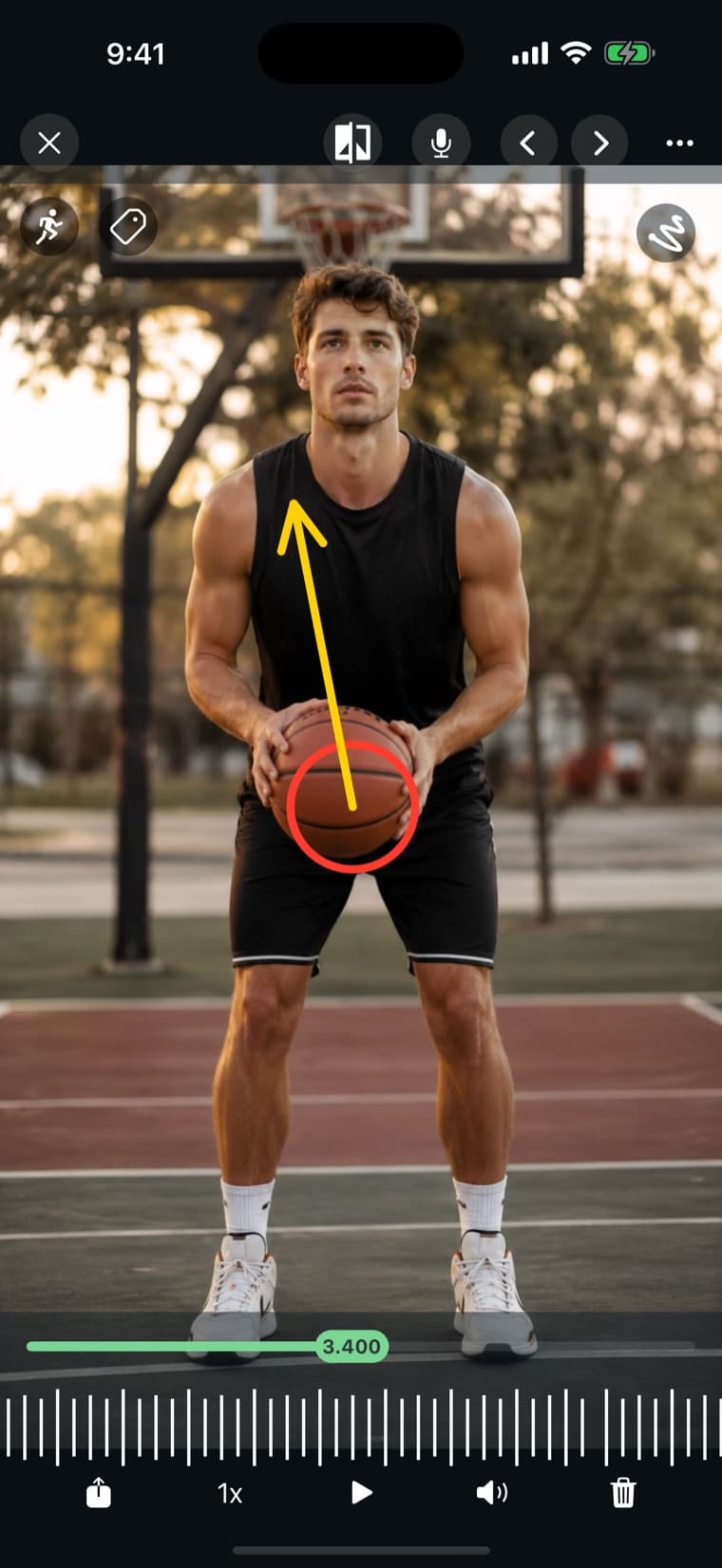
There are a lot of video apps, but only a handful are built for the way coaches actually work: capture, break down, and deliver feedback. If you're choosing a video analysis app in 2026, here's the criteria that matter and how to think about the options.
What makes a great video analysis app
Before comparing names, get clear on what you need. A coaching tool should let you:
- Record or import in high quality (4K, high frame rate).
- Slow footage down and step through it frame by frame.
- Draw and annotate directly on the video.
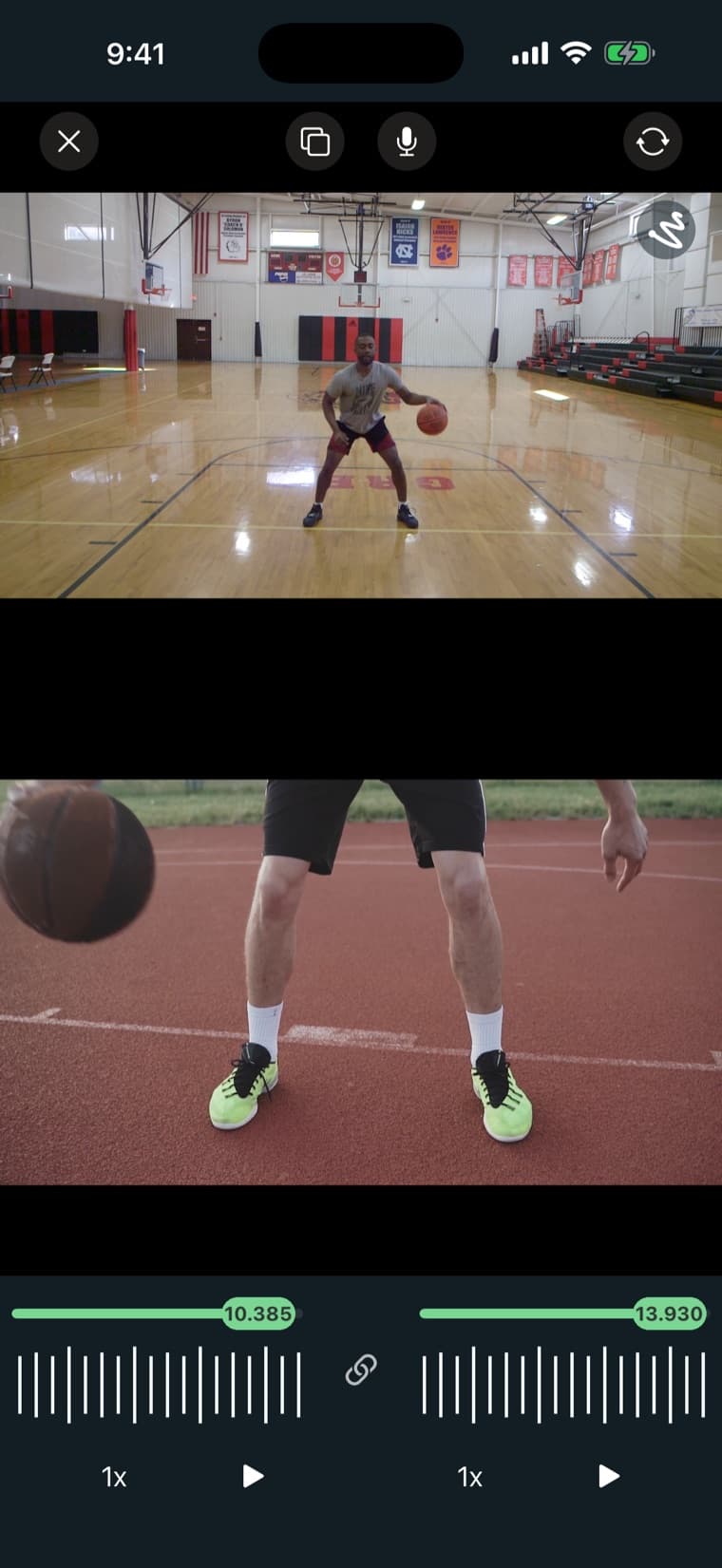
- Compare two clips side by side or overlaid.
- Record a voiceover to explain a breakdown.
- Organize clips and share them with athletes easily.
The must-have features
Slow-motion and frame-by-frame are table stakes. If you can't freeze the exact moment of contact, you can't coach it. Drawing tools turn a clip into a lesson. Side-by-side comparison is the most convincing teaching tool there is. And voiceover lets your feedback travel with the video when you're not in the room.
The feature most apps miss: team & athlete management
Plenty of apps can slow a clip down. Far fewer help you manage a roster of athletes, keep organized libraries, and share clips directly with the right person. If you coach more than one athlete, this is the difference between a toy and a system you'll actually use all season.
This is the criterion that decides things in practice. Analysis you can't deliver is analysis nobody acts on, and a coach with twenty athletes cannot run a workflow that involves exporting a file and finding the right parent's email address. When a tool gets abandoned in week three, this is almost always why, not because the drawing tools were bad.
The main options, and who each one suits
No single app wins for everyone. A Windows desktop tool built for biomechanics research and a phone app built for sideline feedback are solving different problems. Here's the landscape as it stands, in broad terms. Features and pricing move around, so check the current details directly before committing a season to any of them.
- Kinovea: free and open source, Windows desktop. Strong on measurement: angles, distances, tracking. Best if you're doing detailed technical or biomechanical work at a computer, and you don't need to share clips with athletes from your phone.
- Hudl: built around team and game film, and widely used in school and college programs. Best if your primary need is full-game footage, tagging, and team distribution rather than individual technique breakdowns.
- Dartfish: a long-established professional analysis suite used at elite levels. Deep capability, priced and scoped for institutions rather than individual coaches.
- OnForm: mobile-first video coaching with feedback and messaging built in. Aimed at the same individual-coaching workflow as VisualEyes.
- CoachNow: a coaching platform built around a shared space for each athlete or team. Analysis happens in the iPhone and Android apps; the web app is for viewing and commenting.
- VisualEyes: mobile and web, built by a coach. Covers the full checklist above including athlete and team management. Free to start on the web, with a 7-day free trial on iPhone. More detail on the video coaching software and sports video analysis app pages.
- Coach's Eye: discontinued. See below.
Which devices each one runs on
Most of these apps are built for iPhone first. If your assistants or athletes use Android, or you want to break down film on a laptop, check this before anything else.
| App | iPhone / iPad | Android | Analyze in a web browser | Computer |
|---|---|---|---|---|
| VisualEyes | Yes | Yes, same tools as iPhone | Yes: frame stepping, drawing, compare. Voice-over in Chrome, Edge or Safari | Any browser (Mac, PC, Chromebook) |
| OnForm | Yes | Yes, with limited features | A lite web app with limited features | No desktop app |
| CoachNow | Yes | Yes | No: view and comment only | No desktop app |
| Hudl | Yes | Yes | Yes, team film review on hudl.com | Mac (Sportscode, Elite plans) |
| Dartfish | Yes (Express) | Yes (Express) | Share and view (myDartfish) | Windows (Pro, 360) |
| Kinovea | No | No | No | Windows only |
A note on Coach's Eye
For years Coach's Eye was the default answer to this question. TechSmith shut it down in September 2022 and never released a successor, which is why so many coaches are still looking for a replacement years later. If that's you, here's a full breakdown of the best Coach's Eye alternative.
How to choose without wasting a season
Comparison tables are easy to over-read. A faster way to decide:
- Start from delivery, not analysis. Ask how a marked-up clip gets from your phone to your athlete. If the answer involves exporting, uploading, and pasting a link, you will stop doing it by mid-season.
- Match the tool to your roster size. One athlete and a laptop is a different problem from thirty athletes and a sideline.
- Trial it during a real session, not at your desk. Tools that feel fine when you're evaluating them often fall apart when you're cold, rushed, and holding a clipboard.
- Check you can get your footage out. Coach's Eye is the cautionary tale here. Confirm you can export your own video before you build a season's library inside someone else's product.
Common mistakes coaches make with video
The tool is rarely the limiting factor. Three habits cost more than any feature gap: filming from a different angle each session, which makes comparison meaningless and turns a moved camera into a phantom regression; annotating five corrections at once, when an athlete can only act on one before the next session; and filming plenty while sending almost nothing, which is the most common failure of all. Video that stays on the coach's phone changes nothing.
How VisualEyes measures up
VisualEyes was built to hit every item on the checklist above (4K capture, frame-by-frame, drawing, side-by-side and overlay comparison, voiceover, plus athlete and team management) on iOS, Android, and the web. The core analysis tools are on every plan, free on the web and with a 7-day free trial on iPhone, which makes it an easy place to start. There's more detail on the video coaching software and sports video analysis app pages, and the pricing page covers what the paid plans add.
Pick the right tool for your program
The best app is the one you'll actually use after every session. Start with the checklist, try the tools that meet it, and pick the one that fits how you coach. You can start analyzing with VisualEyes for free today.
About the author

Tim McClain — Founder of VisualEyes
Tim McClain is the founder of VisualEyes and a coach who built the app to make professional-grade video analysis simple and affordable for coaches and athletes at every level.
Try this workflow with VisualEyes
Record, slow-mo, draw, compare, and share with your athletes — free to start on iOS, Android, and the web.